How to Add Hetzner S3 Object Storage to Laravel App
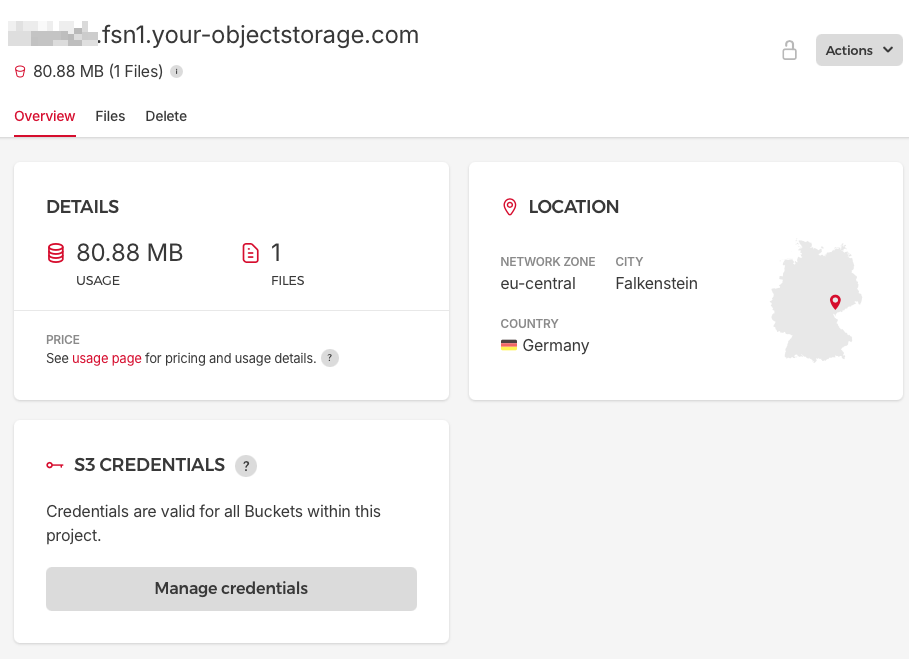
Hetzner's S3-compatible Object Storage provides a scalable and cost-effective solution for storing and retrieving large amounts of data. In this guide, we'll walk through the process of integrating Hetzner S3 Object Storage with a Laravel 11-13 application.
Prerequisites
A Laravel 11+ application
A Hetzner Cloud account with Object Storage enabled
Composer installed on your development machine
Step 1: Install the AWS SDK for PHP
Laravel uses the AWS SDK for PHP to interact with S3-compatible storage services. Install it using Composer:
composer require league/flysystem-aws-s3-v3 "^3.0" --with-all-dependencies
Step 2: Create Hetzner S3 bucket and generate credentials
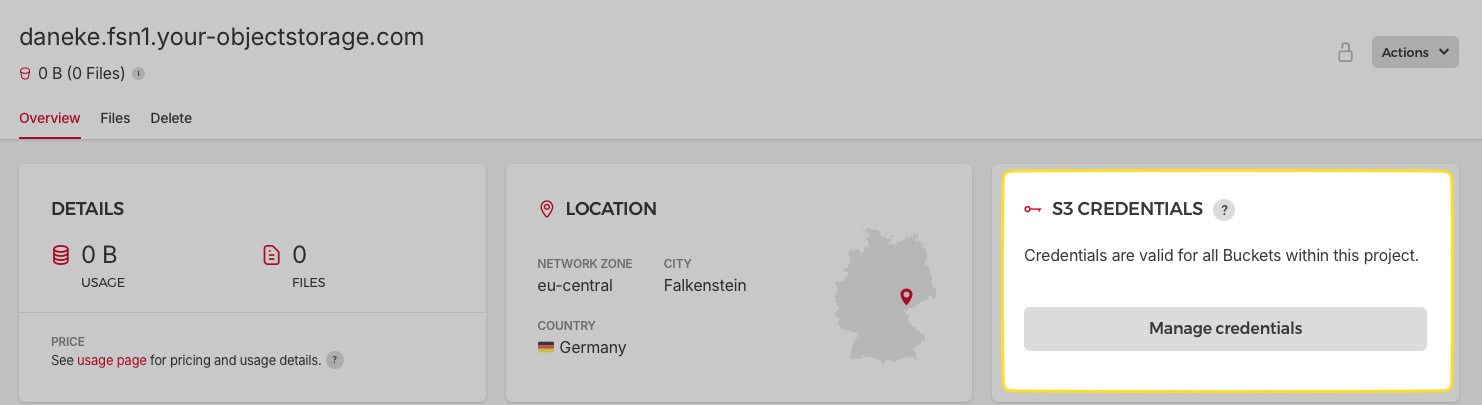
Create new bucket via interface on hetzner.com and remember your bucket name:

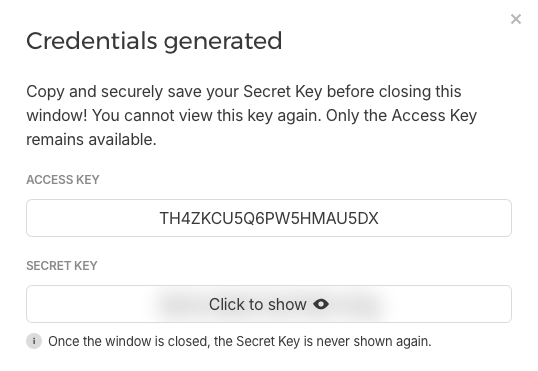
Than generate your credentials:
Step 3: Configure Hetzner S3 Credentials
Add your Hetzner S3 credentials to your Laravel application's .env file:
HETZNER_S3_ACCESS_KEY_ID=your_access_key
HETZNER_S3_SECRET_ACCESS_KEY=your_secret_key
HETZNER_S3_BUCKET=your_bucket_name
HETZNER_S3_ENDPOINT=https://fsn1.your-objectstorage.com
Replace your_access_key, your_secret_key, and your_bucket_name with your actual Hetzner S3 credentials and bucket name.
Step 4: Update Filesystem Configuration
Open config/filesystems.php and add a new disk configuration for Hetzner S3:
'hetzner' => [
    'driver' => 's3',
    'key' => env('HETZNER_S3_ACCESS_KEY_ID'),
    'secret' => env('HETZNER_S3_SECRET_ACCESS_KEY'),
    'region' => 'us-east-1',
    'bucket' => env('HETZNER_S3_BUCKET'),
    'endpoint' => env('HETZNER_S3_ENDPOINT'),
    'use_path_style_endpoint' => true,
    'throw' => false,
    'visibility' => 'private',
],
Step 5: Use Hetzner S3 in Your Application
Now you can use Laravel's Storage facade to interact with your Hetzner S3 bucket. Here are some examples:
Uploading a File
use Illuminate\Support\Facades\Storage;

$file = $request->file('avatar');
$path = Storage::disk('hetzner')->put('avatars', $file);
Retrieving a File
use Illuminate\Support\Facades\Storage;

$url = Storage::disk('hetzner')->url('avatars/filename.jpg');
Deleting a File
use Illuminate\Support\Facades\Storage;

Storage::disk('hetzner')->delete('avatars/filename.jpg');
Step 6: Handle File URLs
If you have private bucket (you should) - you can generate URLs of file when needed with temporaryUrl
use Illuminate\Support\Facades\Storage;

Storage::disk('hetzner')->temporaryUrl('avatars/filename.jpg', now()->addMinutes(5));
Price
Hetzner's Object Storage pricing structure is designed to be both flexible and cost-effective. The service operates on a base price of €0.0081 per hour for Object Storage runtime, with a monthly cap of €4.99 for all Buckets under a project owner's account. This base price includes a generous allocation of 1 TB of storage (up to 744 TB-hours) and 1 TB of traffic across all Buckets in your account. Should you exceed these included quotas, additional storage is billed at €0.0067 per TB-hour, while extra traffic incurs a cost of €1.00 per TB. It's worth noting that all prices quoted exclude VAT, providing transparency in the cost structure. This pricing model allows users to start small and scale as needed, with the monthly cap offering predictability for budgeting purposes.
Conclusion
You've successfully integrated Hetzner S3 Object Storage with your Laravel 12 application. This setup allows you to leverage Hetzner's robust and scalable storage solution while using Laravel's familiar Storage facade. Remember to handle your S3 credentials securely and consider using Laravel's built-in configuration caching for production environments.
For more advanced usage, refer to Laravel's official documentation on file storage and the AWS SDK for PHP documentation.
Hetzner Docs are available here: https://docs.hetzner.com/storage/object-storage/
Welcome to register on Hetzner with my referrer link: https://hetzner.cloud/?ref=jjQEPZtflL9T
Comments
Join the discussionNo comments yet. Be the first to comment.